

Richard independently publishes Economics Savvy and has owned and used PowerX Optimizer since 2020. He shares first-hand observations about its workflow, features, limitations, and trading risk.
Fewer than half of retail traders who purchase a trading software subscription use it consistently after the first 90 days — a pattern that often traces back to one avoidable mistake: subscribing before evaluating whether the tool actually fits how they trade. This trading software buying guide is designed to close that gap by walking through the criteria that matter most before any money changes hands.
Key Takeaways
- Define your trading style and time availability before comparing platforms — most mismatches start here.
- Evaluate data quality and feed reliability as a first-tier requirement, not an afterthought.
- Understand the full cost structure, including data fees, broker integrations, and renewal terms.
- Test the scanning and screening tools against your actual strategy, not demo scenarios.
- Confirm what risk management features are built in versus what you must configure manually.
- Check whether the platform includes structured education or assumes prior knowledge.
- Read refund and cancellation policies carefully before entering payment details.
- Independent reviews from verified users carry more weight than vendor-produced case studies.
What Should You Clarify About Yourself Before Comparing Platforms?
The most useful first step in any trading software buying guide is self-assessment, not product research. A platform built for high-frequency day traders will frustrate a swing trader who checks positions once a day — and vice versa. Before opening a single comparison page, answer three questions: How many hours per week can you realistically dedicate to trading? Are you focused on stocks, options, or both? Do you want the software to generate trade ideas, or do you prefer to generate your own and use the tool for execution and tracking?
These answers immediately narrow the field. Many platforms market themselves broadly but are optimized for a specific workflow. Knowing your workflow first prevents you from being sold a feature set you will never use.
How Do You Evaluate Data Quality and Feed Reliability?
Data quality is the foundation every other feature sits on. A scanner that runs on delayed or inaccurate data produces signals that are worse than useless — they create false confidence. When evaluating any platform, ask specifically: Is the data feed real-time or delayed? What is the data source, and is it the same feed used by professional desks? How does the platform handle data gaps, halted securities, or after-hours pricing?
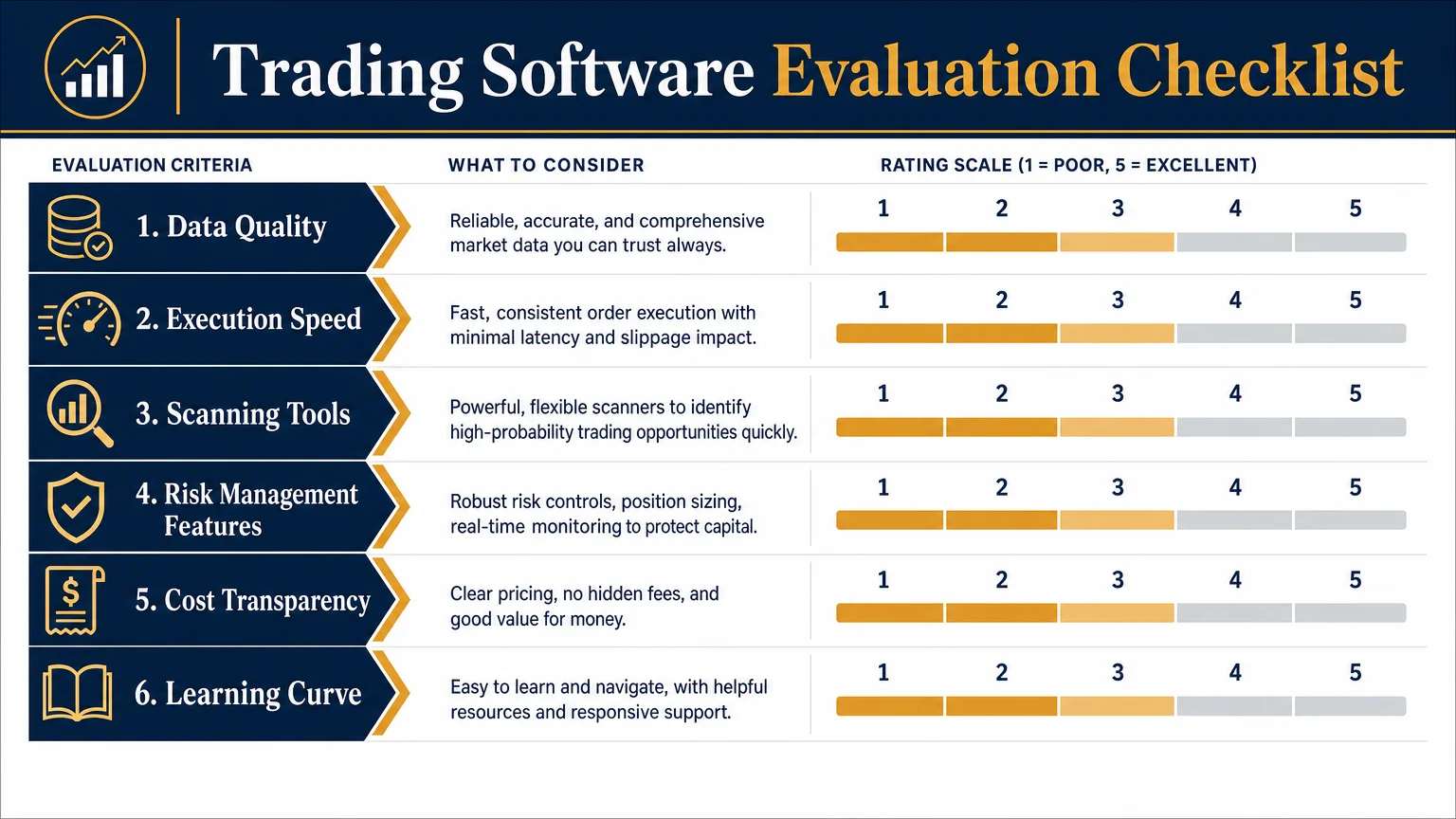
Platforms vary significantly here. Some include real-time data in the subscription price; others charge separately through a broker or third-party data provider. That distinction matters for total cost calculations, which is covered in the next section. For a closer look at how one specific platform handles data and workflow, the PowerX Optimizer review: what it does and who it’s for offers a detailed feature-by-feature breakdown.
What Does the Full Cost Structure Actually Look Like?
Advertised subscription prices rarely tell the complete story. A platform listed at a monthly rate may require a separate real-time data subscription, a compatible broker account with minimum funding requirements, and additional fees for mobile access or advanced modules. When building out a true cost comparison, account for all of the following:
| Cost Component | Questions to Ask |
|---|---|
| Base subscription | Monthly vs. annual pricing; auto-renewal terms |
| Data feed fees | Included or billed separately? Real-time or delayed? |
| Broker requirements | Minimum deposit? Specific broker only? |
| Add-on modules | Are key features locked behind higher tiers? |
| Cancellation policy | Is there a trial period? Refund window? |
For verified pricing on one well-known options-focused platform, how much does PowerX Optimizer cost? a verified breakdown walks through exactly what is included at each level without speculation.
What Scanning and Screening Tools Should You Look For?
A stock or options scanner is often the centerpiece of a trading platform’s value proposition, but not all scanners are built the same way. The key distinction is between platforms that offer a fixed set of pre-built scans and those that allow fully custom criteria. Neither is universally better — a pre-built scan designed around a tested strategy can outperform a custom scan built on flawed logic — but the flexibility question matters for traders who have already developed their own methodology.
Evaluate scanners on these dimensions: How many securities does the scan cover, and does it include options chains? How frequently does it refresh during market hours? Can you save and re-run custom scans? Does the output include enough context — volume, volatility metrics, earnings dates — to make a decision without switching to another tool?
For a direct comparison of how scanning tools differ between two popular platforms, PowerX Optimizer vs. Thinkorswim: a side-by-side look covers that ground specifically.
How Should Risk Management Features Factor Into Your Decision?
Trading software that does not surface risk information prominently is a structural problem, not a minor omission. Before subscribing, confirm whether the platform calculates position sizing automatically based on account size and risk tolerance, or whether that step is left entirely to the trader. Platforms that display potential loss alongside potential gain — rather than only highlighting upside — reflect a more honest design philosophy.
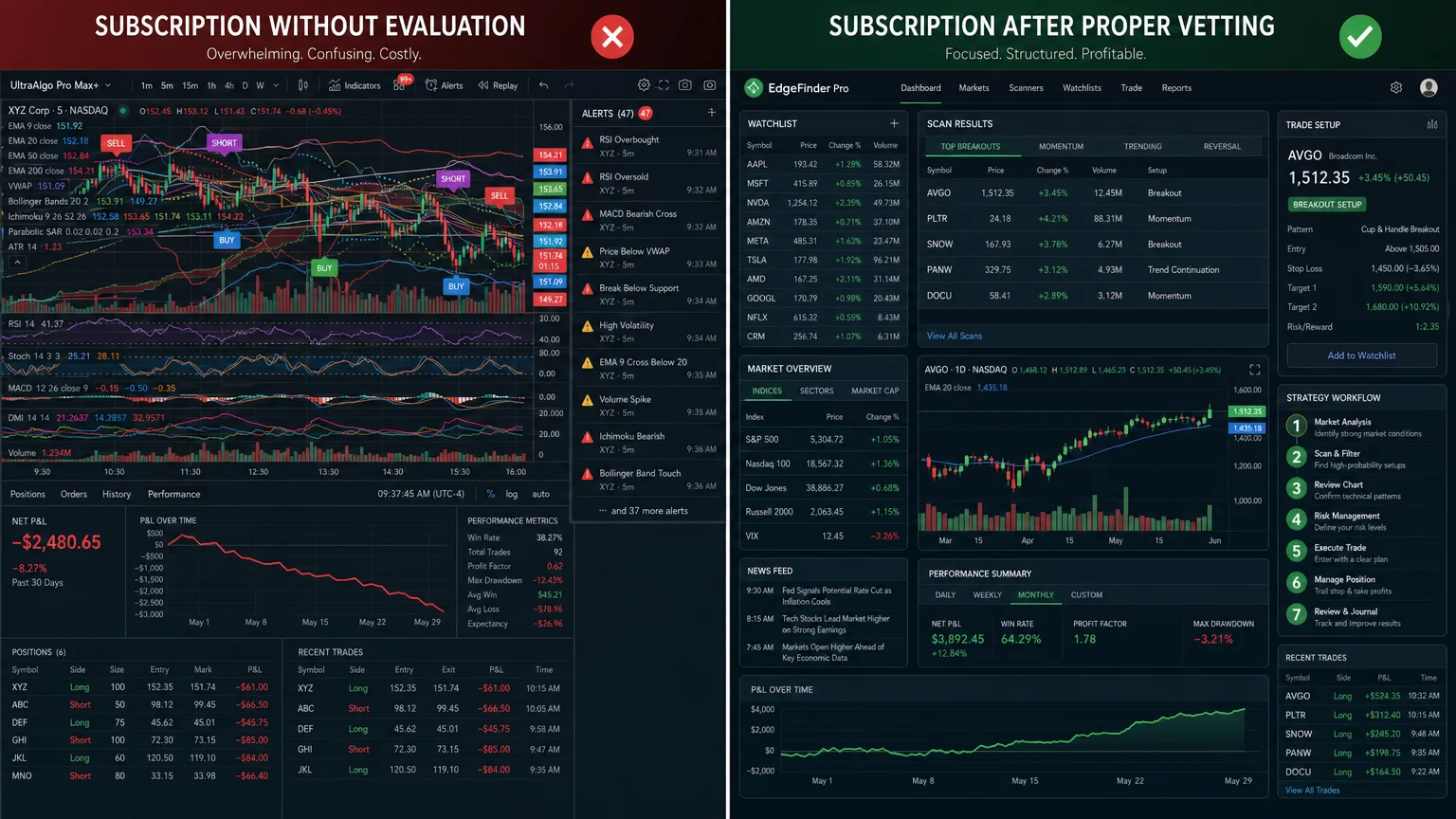
Also evaluate whether the platform includes any mechanism for tracking overall portfolio exposure, not just individual trade risk. A tool that helps you avoid over-concentration in a single sector or correlated positions adds meaningful value beyond its scanning features. If you are newer to thinking about risk systematically, stock and options trading risk: what new traders must know provides a clear foundation before you evaluate any specific platform’s risk tools.
Does the Platform Include Education, or Does It Assume You Already Know How to Trade?
This question separates platforms designed for experienced traders from those built to support the learning process. Neither approach is wrong, but subscribing to the wrong one wastes both time and money. A platform that assumes professional-level knowledge and provides no instructional context will leave newer traders guessing at how to use the tools correctly. Conversely, a platform that buries its features under hours of prerequisite coursework may frustrate traders who want to get to work.
Look for platforms that offer structured onboarding, video walkthroughs of core features, and access to a community or support channel where questions get answered. Some platforms pair their software with a broader educational curriculum — which can be valuable if the education is genuinely integrated with the tool rather than a separate upsell. The stock trading education section of this site covers what to look for in trading education more broadly.
What Do Independent Reviews Actually Tell You?
Vendor-produced testimonials and case studies are marketing materials, not evaluations. When researching any platform in this trading software buying guide context, weight independent reviews — particularly those that describe specific workflow experiences, limitations, and realistic use cases — far more heavily than promotional content.
Look for reviews that mention what the platform does not do well. A review that only lists positives is almost certainly incomplete. Useful signals include: how long the reviewer has used the platform, whether they describe their trading style and how the tool fits it, and whether they disclose any affiliate relationship. Transparency about limitations and conflicts of interest is a marker of credibility.
For a candid account of daily use rather than a feature-list overview, one month using PowerX Optimizer daily: honest observations reflects that kind of ground-level perspective.
Conclusion
A trading software subscription is a recurring commitment that should earn its place in your workflow every month. The criteria in this buying guide — data quality, full cost transparency, scanning depth, risk features, educational support, and independent review credibility — give you a structured way to evaluate any platform before you subscribe rather than after you regret it.
For a broader foundation before committing to any specific tool, the Financial Fortress audiobook: what it covers and who it’s for addresses the financial mindset questions that sit underneath every software decision. And if you want to go deeper on a specific platform that targets stock and options swing traders, the trading software section of this site covers the tools most relevant to that audience.
Trading stocks and options involves substantial risk of loss and may not be suitable for all investors. Nothing on this site constitutes personalized investment advice.
Frequently Asked Questions
How long should I trial a trading platform before committing to an annual subscription?
Most platforms offer a trial period ranging from a few days to 30 days. Use at least two full trading weeks — covering different market conditions — before deciding. A single quiet week does not test how the platform performs during volatility.
Is a higher subscription price a reliable signal of better quality?
Not reliably. Price reflects the vendor's pricing strategy as much as feature quality. Some well-priced platforms outperform expensive competitors on the criteria that matter most for a specific trading style. Evaluate features against your actual needs rather than using price as a quality proxy.
Should I choose a platform that works with any broker, or one tied to a specific broker?
Broker-agnostic platforms offer more flexibility, but broker-integrated platforms sometimes provide tighter execution data and more seamless order routing. The right answer depends on whether you already have a preferred broker and how important execution speed is to your strategy.
What is the most common reason traders abandon a platform they paid for?
The most common reason is a mismatch between the platform's workflow and the trader's available time. A tool designed for active monitoring during market hours does not serve a trader who can only check positions in the evening. Clarifying time availability before subscribing prevents this.
Are free trading platforms worth considering, or do they lack essential features?
Free platforms vary widely. Some offer genuine value for basic screening and charting. Most lack the depth of scanning, risk tools, or educational integration found in paid platforms. Evaluate free options against the same criteria as paid ones — the cost difference only matters if the features are comparable.
How important is mobile access when evaluating trading software?
It depends on your workflow. Traders who monitor positions throughout the day benefit from reliable mobile access. Traders who set positions based on end-of-day analysis and check in occasionally may find desktop-only access entirely sufficient. Do not pay a premium for mobile features you will not use.
Where can I learn more about what specific platforms include before subscribing?
Independent review sites, verified user forums, and platform-specific FAQ resources are the most reliable starting points. The PowerX Optimizer FAQ: 12 questions busy traders ask is one example of the kind of detailed, question-driven resource that helps prospective subscribers make an informed decision.
Richard independently publishes Economics Savvy and has owned and used PowerX Optimizer since 2020. He shares first-hand observations about its workflow, features, limitations, and trading risk.