

Economics Savvy provides independent, risk-aware reviews of trading software and education based on daily use. Affiliate links are clearly disclosed; content is educational, not investment advice.
Roughly 45% of retail traders who abandon a platform within the first year cite feature mismatch — not price — as the primary reason. Choosing stock and options trading software without a structured evaluation process is one of the most common and correctable mistakes active traders make.
This guide walks through the criteria that matter most when assessing any trading platform, so you can make a decision grounded in how you actually trade rather than how a sales page says you should.
Key Takeaways
- Feature fit matters more than feature count — a platform loaded with tools you won’t use is not an advantage.
- Backtesting quality, data depth, and options-specific functionality are non-negotiable for serious traders.
- Pricing structures vary widely; always verify what is included at each tier before committing.
- Integration with your existing broker affects execution speed and workflow friction.
- Educational resources built into the platform can meaningfully shorten the learning curve.
- Risk management tools are a feature category, not an afterthought — evaluate them explicitly.
- Trial periods and money-back windows are worth using deliberately, not casually.
What Does “Evaluating” Trading Software Actually Mean?
Evaluating stock and options trading software means systematically testing whether a platform’s capabilities align with your specific trading strategy, time availability, and risk tolerance — not simply comparing feature lists.
Most traders approach software selection the way they shop for consumer electronics: they look at specs, read a few reviews, and make a gut call. That approach tends to produce regret. A more useful framework starts with your own trading behavior. How many trades do you place per week? Do you trade equities, options, or both? Do you need real-time scanning, or is end-of-day analysis sufficient? The answers to those questions should filter your options before you ever open a demo account.
Which Core Features Should You Prioritize?
The feature set that matters depends on your strategy, but several categories apply broadly to anyone evaluating stock and options trading software.
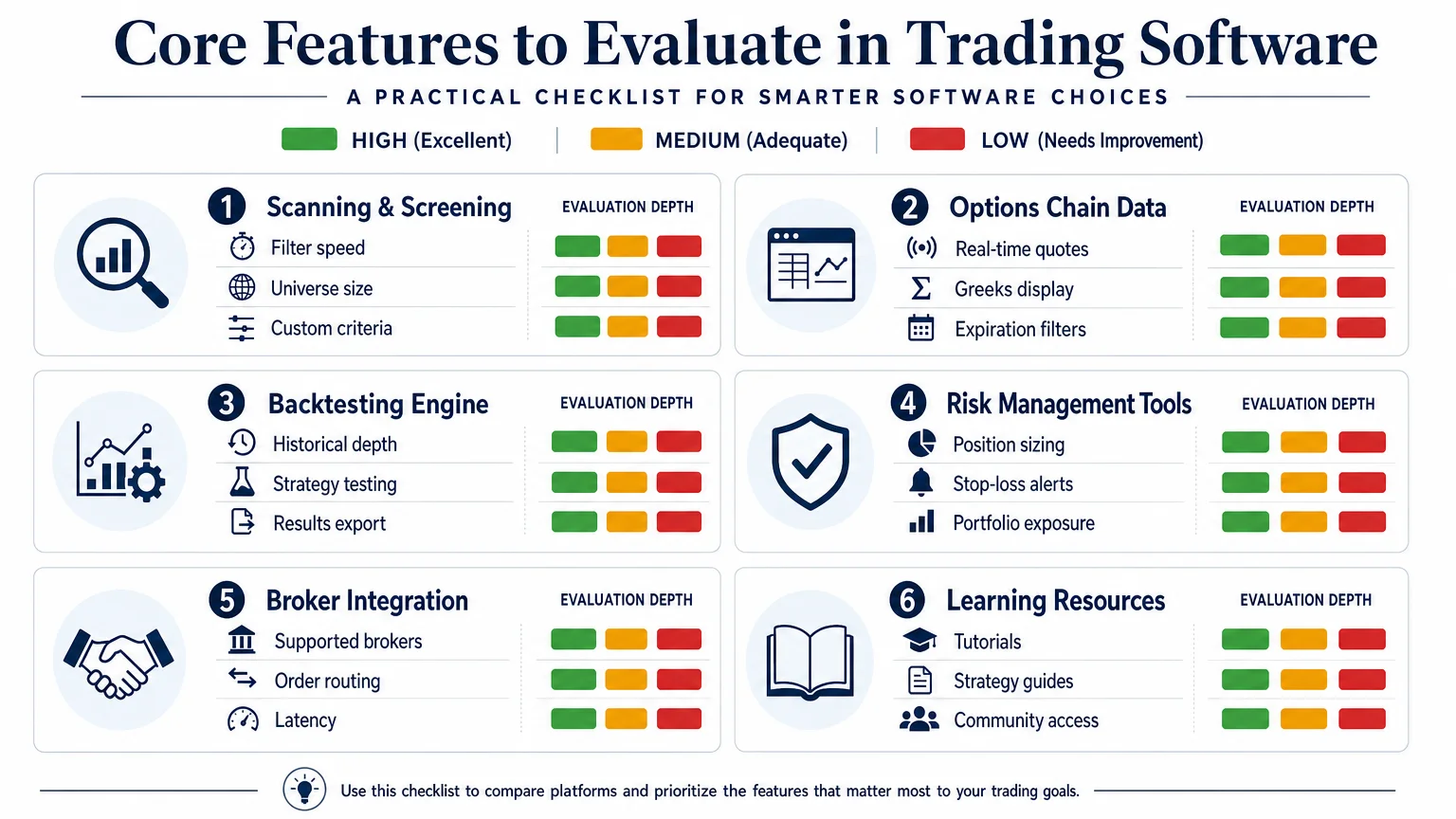
Scanning and Screening A scanner that can filter thousands of tickers by technical criteria — volume, momentum, price range, options activity — in seconds is a baseline requirement for most active traders. Evaluate the size of the universe it scans, the speed of results, and whether you can build and save custom filters.
Options Chain Display and Greeks For options traders specifically, how the platform presents the options chain matters considerably. Look for clean display of the major Greeks (delta, theta, vega, gamma), real-time bid/ask spreads, and the ability to filter by expiration date and strike range without excessive clicks.
Backtesting Engine Backtesting lets you test a strategy against historical data before committing real capital. Key questions: How many years of data are available? Can you test multi-leg options strategies, or only simple calls and puts? How are results reported — in raw P&L, win rate, or both?
Risk Management Tools Position sizing calculators, portfolio exposure summaries, and stop-loss alert systems belong in this category. Platforms that treat risk management as an add-on rather than a core workflow element tend to produce traders who undersize wins and oversize losses.
Broker Integration Some platforms are standalone analysis tools; others connect directly to your brokerage for order execution. Know which type you’re evaluating, and if integration is offered, verify which brokers are supported and whether there are latency or fee implications.
How Should You Assess the Quality of Backtesting?
Backtesting is one of the most misunderstood features in trading software, and one of the most consequential. A backtesting engine is only as useful as the data behind it and the assumptions it makes about order fills.
Watch for platforms that backtest on closing prices only — this can produce unrealistically favorable results for strategies that depend on intraday entries. Ask whether the engine accounts for slippage, commissions, and bid/ask spreads. The difference between a backtest that ignores these factors and one that includes them can be the difference between a strategy that looks profitable and one that actually is.
For a structured comparison of how different platforms handle this, the PowerX Optimizer vs. Thinkorswim: a side-by-side look review covers backtesting differences in practical terms.
What Does Stock and Options Trading Software Typically Cost?
Pricing models across trading software fall into several structures, and the published price rarely reflects the total cost of ownership.
| Pricing Model | What to Watch For |
|---|---|
| Monthly subscription | Whether data feeds are included or billed separately |
| Annual subscription | Cancellation and refund policy before the year ends |
| One-time license | Whether updates and support are included long-term |
| Broker-bundled (free) | Feature limitations compared to paid standalone tools |
| Tiered plans | Which features are gated behind higher tiers |
For a specific example of how this plays out in practice, the PowerX Optimizer cost: a verified breakdown (2026) article details what is and isn’t included at each level — useful as a reference point even if you’re evaluating other platforms.
Data subscriptions are a common hidden cost. Some platforms require a separate real-time data feed from a third-party provider, which can add meaningfully to monthly expenses. Confirm this before signing up.
How Important Are Educational Resources in a Trading Platform?
For traders who are still developing their strategy, built-in educational content can accelerate the learning curve significantly — but only if it’s integrated into the workflow rather than siloed in a separate “academy” tab.
The most useful educational resources are contextual: explanations of why a scan produced a particular result, video walkthroughs of how to interpret a specific signal, or guided exercises that use real market data. Generic video libraries with no connection to the platform’s actual tools are less valuable than they appear in marketing materials.
If you’re comparing the landscape of paid versus free options education more broadly, options trading education in 2026: paid vs. free resources provides a useful framework for thinking about where platform education fits relative to standalone courses.
Is PowerX Optimizer Worth Considering in This Evaluation?
PowerX Optimizer is a stock and options trading software tool developed by Rockwell Trading. It is designed around a specific trading methodology — scanning for high-probability setups in stocks and options, then applying a rules-based approach to entry, exit, and position sizing.
It is not a general-purpose platform in the way that thinkorswim or TradeStation are. That specificity is both its strength and its limitation. Traders who want a platform that tells them what to look at and how to evaluate it may find the focused workflow useful. Traders who want complete customization and a blank canvas may find it constraining.
For a detailed look at what the software actually does at the feature level, PowerX Optimizer explained: what the software actually does covers the mechanics without promotional framing. If you’re still deciding whether it fits your situation, is PowerX Optimizer right for you? 10 questions first provides a structured self-assessment.
Important disclosure: Economics Savvy may earn a commission if you purchase through links on this site. The site owner uses PowerX Optimizer and shares workflow observations, but does not guarantee results. Trading stocks and options involves substantial risk of loss and is not suitable for all investors.
Frequently Asked Questions
What is the most important feature to evaluate in trading software?
Feature fit to your specific strategy matters more than raw feature count. A scanner that surfaces the setups you actually trade, combined with a backtesting engine that uses realistic assumptions, tends to produce more value than a platform with dozens of tools you won’t use.
Does free trading software perform as well as paid platforms?
Broker-bundled platforms like thinkorswim offer substantial functionality at no additional cost, but they typically require more manual configuration. Paid platforms often provide more opinionated workflows and integrated educational content, which can reduce setup time for traders who want a more guided experience.
How do I know if a backtesting result is reliable?
Check whether the backtest accounts for slippage, commissions, and bid/ask spreads. Results based on closing prices only, or that ignore transaction costs, tend to overstate strategy performance. Ask the platform vendor directly how fills are simulated.
What hidden costs should I watch for when buying trading software?
Real-time data feed subscriptions are the most common hidden cost. Some platforms also charge separately for options data, extended historical data, or premium scanning features. Always request a full cost breakdown before subscribing.
Is trading software suitable for beginners?
Some platforms are designed with beginners in mind and include structured educational content alongside the trading tools. Others assume prior knowledge and can be overwhelming for new traders. Evaluate the onboarding experience and available support before committing.
How long should I spend evaluating a platform before buying?
Use the full trial period deliberately. Two to three weeks of active use — replicating your actual strategy, not just exploring features — is typically enough to identify major friction points. Document your observations rather than relying on memory.
What is the difference between a stock screener and a trading platform?
A stock screener filters securities based on criteria you define. A trading platform encompasses the screener plus charting, order management, risk tools, and often broker integration. Some traders use a standalone screener alongside a separate brokerage interface; others prefer an integrated platform.
Conclusion
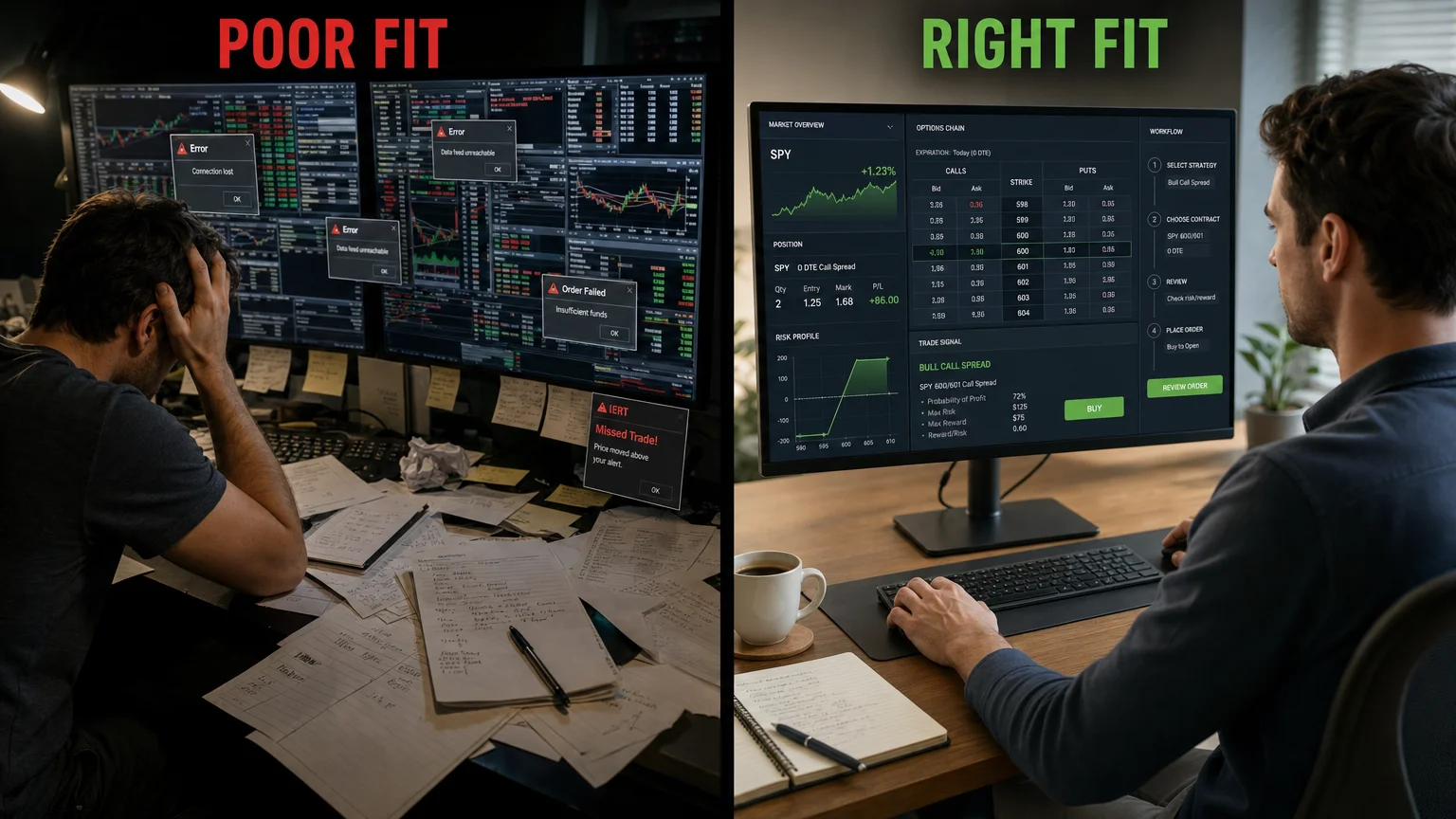
Choosing stock and options trading software is a decision that compounds over time. A platform that fits your strategy well reduces friction, improves consistency, and shortens the gap between analysis and action. A poor fit does the opposite — and switching costs are real.
The evaluation framework here — prioritizing feature fit, scrutinizing backtesting quality, verifying total cost, and using trial periods deliberately — applies regardless of which platform you’re considering.
For a year-end review of how to assess your current tools before committing to anything new, year-end trading prep: how to evaluate your tools before January is a useful companion read.
Trading stocks and options involves substantial risk of loss and may not be suitable for all investors. Nothing on this site constitutes personalized investment advice. Economics Savvy is an independent affiliate site and is not a registered investment adviser.
Frequently Asked Questions
What is the most important feature to evaluate in trading software?
Feature fit to your specific strategy matters more than raw feature count. A scanner that surfaces the setups you actually trade, combined with a backtesting engine that uses realistic assumptions, tends to produce more value than a platform with dozens of tools you won't use.
Does free trading software perform as well as paid platforms?
Broker-bundled platforms like thinkorswim offer substantial functionality at no additional cost, but they typically require more manual configuration. Paid platforms often provide more opinionated workflows and integrated educational content, which can reduce setup time for traders who want a more guided experience.
How do I know if a backtesting result is reliable?
Check whether the backtest accounts for slippage, commissions, and bid/ask spreads. Results based on closing prices only, or that ignore transaction costs, tend to overstate strategy performance. Ask the platform vendor directly how fills are simulated.
What hidden costs should I watch for when buying trading software?
Real-time data feed subscriptions are the most common hidden cost. Some platforms also charge separately for options data, extended historical data, or premium scanning features. Always request a full cost breakdown before subscribing.
Is trading software suitable for beginners?
Some platforms are designed with beginners in mind and include structured educational content alongside the trading tools. Others assume prior knowledge and can be overwhelming for new traders. Evaluate the onboarding experience and available support before committing.
How long should I spend evaluating a platform before buying?
Use the full trial period deliberately. Two to three weeks of active use — replicating your actual strategy, not just exploring features — is typically enough to identify major friction points. Document your observations rather than relying on memory.
What is the difference between a stock screener and a trading platform?
A stock screener filters securities based on criteria you define. A trading platform encompasses the screener plus charting, order management, risk tools, and often broker integration. Some traders use a standalone screener alongside a separate brokerage interface; others prefer an integrated platform.
Economics Savvy provides independent, risk-aware reviews of trading software and education based on daily use. Affiliate links are clearly disclosed; content is educational, not investment advice.