

Richard independently publishes Economics Savvy and has owned and used PowerX Optimizer since 2020. He shares first-hand observations about its workflow, features, limitations, and trading risk.
Two platforms frequently appear in the same conversation when traders research stock and options software: PowerX Optimizer, developed by Rockwell Trading, and Thinkorswim, the platform offered by TD Ameritrade (now integrated into Charles Schwab). Both tools serve traders who want to find and act on stock and options opportunities — but they approach that goal from fundamentally different angles. This PowerX Optimizer vs. Thinkorswim side-by-side look examines what each platform actually does, who it is designed for, and where each one falls short.
Risk Disclosure: Trading stocks and options involves substantial risk of loss and is not suitable for all investors. Nothing in this article constitutes personalized investment advice. Past performance of any tool or strategy does not guarantee future results. Please review our full stock and options trading risk overview before making any trading decisions.
Key Takeaways
- PowerX Optimizer is a purpose-built scanning and signal tool designed around a specific, rules-based strategy; Thinkorswim is a broad, professional-grade platform with near-unlimited customization.
- Thinkorswim is free to use with a Schwab brokerage account; PowerX Optimizer carries a separate subscription cost.
- PowerX Optimizer is designed to reduce decision complexity; Thinkorswim is designed to expand analytical capability.
- Neither platform guarantees profitable trades — both are tools, not systems that trade for you.
- Beginners often find PowerX Optimizer’s structured workflow easier to follow; experienced technical traders often prefer Thinkorswim’s depth.
- The two platforms are not direct competitors in purpose — they serve different trader profiles at different stages.
- Using both together is a workflow some traders adopt, with PowerX Optimizer for scanning and Thinkorswim for execution and deeper charting.
What Does Each Platform Actually Do?
PowerX Optimizer is a stock and options scanning tool built around Rockwell Trading’s “PowerX Strategy.” It scans a universe of stocks and options, ranks them according to a defined set of criteria, and presents a short watchlist of candidates that meet those criteria on any given day. The goal is to reduce the number of decisions a trader has to make before entering a position.
Thinkorswim, by contrast, is a full-featured trading and analysis platform. It offers advanced charting, a scripting language called thinkScript for custom indicators, paper trading, options analysis tools including probability cones and risk profiles, and direct order execution. It is designed to serve everyone from active retail traders to professional-level analysts who want to build their own systems from scratch.
The distinction matters: PowerX Optimizer is a decision-support tool with a specific strategy baked in; Thinkorswim is an open-ended analytical environment. Comparing them directly is a bit like comparing a specialized diagnostic tool to a full workshop — both have value, but for different purposes.
How Do the Two Platforms Compare on Core Features?
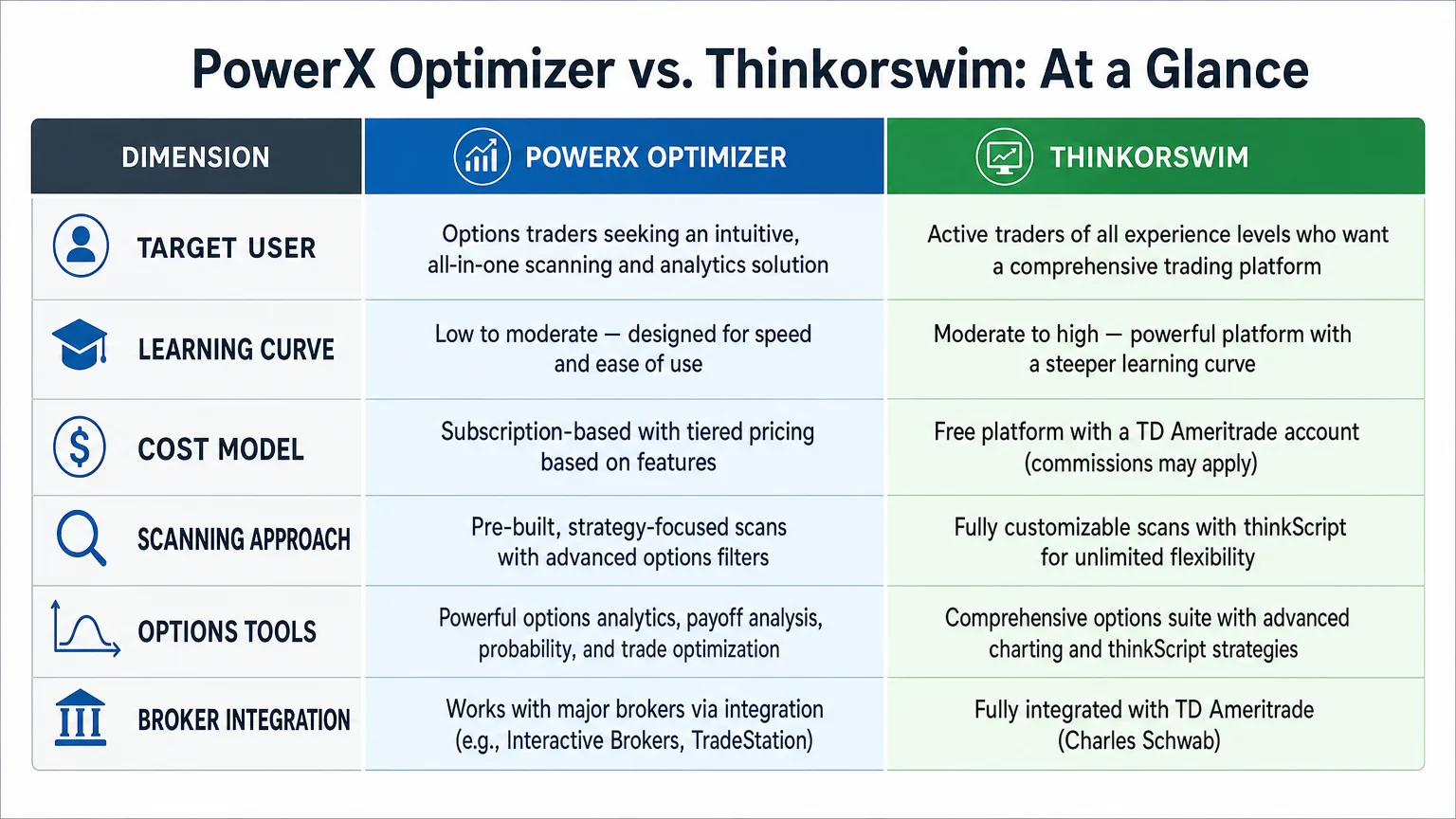
The table below summarizes the most relevant feature differences for traders evaluating both platforms.
| Feature | PowerX Optimizer | Thinkorswim |
|---|---|---|
| Primary Function | Rules-based stock/options scanner | Full trading & analysis platform |
| Target User | Structured-strategy traders | Self-directed, technical traders |
| Learning Curve | Moderate — guided workflow | Steep — extensive feature set |
| Cost | Paid subscription (see verified breakdown) | Free with Schwab brokerage account |
| Charting | Basic built-in charts | Advanced, highly customizable |
| Options Analysis | Signal-based, strategy-specific | Deep: Greeks, risk graphs, chains |
| Custom Indicators | Limited | Extensive via thinkScript |
| Paper Trading | Not a primary feature | Yes, full paper trading environment |
| Broker Integration | Works alongside brokers | Direct execution via Schwab |
| Scanning | Automated, strategy-filtered | Manual or custom scan builder |
For a detailed breakdown of what PowerX Optimizer’s subscription includes and what it costs, the verified cost breakdown for PowerX Optimizer covers the current pricing structure without speculation.
Which Platform Has the Steeper Learning Curve?
Thinkorswim has a significantly steeper learning curve. The platform’s depth is one of its greatest strengths, but it also means that a new trader opening Thinkorswim for the first time faces dozens of menus, hundreds of built-in studies, and a scripting language before they can build a functional workflow. Many experienced traders spend months learning Thinkorswim’s full capability.
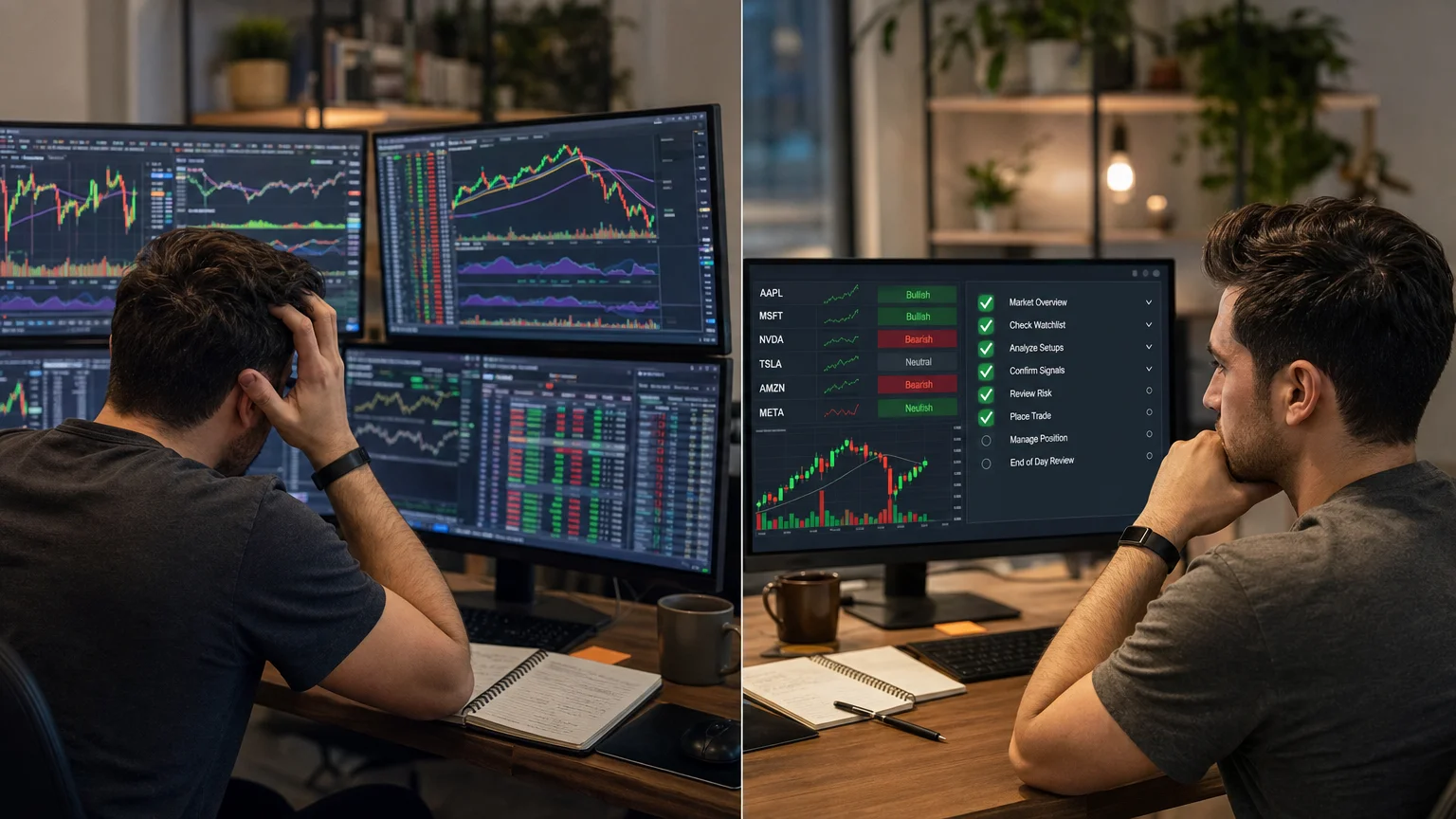
PowerX Optimizer takes a different approach. The platform is built around a single strategy and is designed to guide the user through a defined process: scan, review the ranked list, check the signal, and decide. That structure reduces the number of choices a trader has to make in a session. For traders who find open-ended platforms overwhelming, this is a meaningful practical difference. For those who want full analytical control, it can feel restrictive.
If you are early in your trading education and evaluating tools, the options trading software guide for beginners outlines what features matter most at different experience levels.
How Does the Cost Model Differ Between PowerX Optimizer and Thinkorswim?
Thinkorswim is available at no additional cost to anyone with a Charles Schwab brokerage account. There is no software subscription fee. Standard brokerage commissions apply to trades, but the platform itself is free.
PowerX Optimizer is a paid product. It requires a subscription separate from any brokerage account. The software is not affiliated with a specific broker, which means traders use it alongside their existing brokerage. The cost structure has varied over time, and the most accurate current information is available through the verified PowerX Optimizer cost breakdown rather than third-party speculation.
The cost difference is real and worth factoring into any evaluation. A free platform with a steep learning curve may cost more in time and errors than a paid platform with a structured workflow — or the reverse may be true, depending on the trader. Neither conclusion is universal.
What Are the Strengths and Limitations of Each Platform?
PowerX Optimizer — Strengths:
- Reduces daily decision-making to a manageable, repeatable process
- Strategy is defined and documented, making it easier to follow consistently
- Designed for traders who want a structured approach rather than building one from scratch
- Pairs well with broader platforms for execution and deeper analysis
PowerX Optimizer — Limitations:
- Tied to one specific strategy; traders who want to explore other approaches will find it limiting
- Requires a separate brokerage for order execution
- Paid subscription adds ongoing cost
- Does not replace education — the strategy still requires understanding to apply correctly
Thinkorswim — Strengths:
- Exceptionally deep charting and options analysis tools
- Free with a Schwab account
- Paper trading environment for practice without real capital at risk
- Highly customizable for traders who want to build their own systems
Thinkorswim — Limitations:
- Learning curve is substantial; the platform can be overwhelming for newer traders
- The openness that makes it powerful also means there is no built-in guidance on strategy
- Requires the trader to supply their own methodology and discipline
For a practical look at how a structured tool like PowerX Optimizer performs in real market conditions, the one-month daily usage observations offer honest, workflow-level detail without inflated performance claims.
Can Traders Use Both Platforms Together?
Yes, and some traders do. A common workflow involves using PowerX Optimizer to generate a filtered watchlist of candidates based on the PowerX Strategy criteria, then switching to Thinkorswim to perform deeper chart analysis, review options chains, and execute trades. This approach uses each platform for what it does best.
That said, this dual-platform workflow adds complexity and cost. Traders should be clear about why they are using each tool and what problem each one is solving before committing to both. Adding more tools does not automatically improve trading outcomes — and in some cases, it introduces conflicting signals that complicate decision-making.
The trading software in a volatile market analysis examines how workflow and tool reliance tend to shift when market conditions become unpredictable, which is relevant context for anyone evaluating platform combinations.
Who Is Each Platform Best Suited For?
PowerX Optimizer is likely better suited for:
- Traders who want a defined, rules-based strategy rather than building their own
- Busy adults who have limited time to scan markets manually each day
- Traders who find open-ended platforms like Thinkorswim overwhelming
- Those who are willing to pay for a structured workflow and educational context
Thinkorswim is likely better suited for:
- Self-directed traders who want full analytical control
- Traders who already have or are building their own strategy and need tools to execute it
- Those who want paper trading capability before committing real capital
- Experienced technical traders who use custom indicators and scripting
Neither platform is universally superior. The right choice depends on what the trader actually needs, not on which platform has more features.
Conclusion
The PowerX Optimizer vs. Thinkorswim comparison ultimately comes down to what a trader needs from their tools. Thinkorswim offers depth, flexibility, and no software cost — but demands significant time and self-direction. PowerX Optimizer offers a structured, strategy-specific workflow with a defined process — but carries a subscription cost and is built around one approach.
Neither platform makes trading simple or risk-free. Both are tools that work in proportion to the trader’s knowledge, discipline, and realistic expectations.
For readers who want to go deeper on how PowerX Optimizer fits into a broader trading workflow, the one-month daily usage observations is a practical next read — grounded in actual use rather than marketing language.
Frequently Asked Questions
Is PowerX Optimizer a replacement for Thinkorswim?
No. PowerX Optimizer is a scanning and signal tool built around a specific strategy. Thinkorswim is a full brokerage platform with charting, execution, and analysis tools. They serve different functions, and some traders use both simultaneously.
Does PowerX Optimizer work with Thinkorswim?
PowerX Optimizer is not directly integrated with Thinkorswim, but traders can use both independently. A common approach is to use PowerX Optimizer for scanning and Thinkorswim for chart review and order execution through a Schwab account.
Is Thinkorswim free to use?
Thinkorswim is available at no additional software cost to Charles Schwab account holders. Standard brokerage commissions apply to trades placed through the platform.
Does PowerX Optimizer guarantee profitable trades?
No. PowerX Optimizer is a tool that generates trade candidates based on a defined strategy. It does not guarantee any outcome. Trading stocks and options involves substantial risk of loss regardless of the tools used.
Which platform is better for beginners?
This depends on the beginner's goals. PowerX Optimizer's structured workflow may be easier to follow for traders who want a defined process. Thinkorswim offers more capability but requires significant time investment to learn. Neither is a substitute for trading education.
What strategy does PowerX Optimizer use?
PowerX Optimizer is built around Rockwell Trading's "PowerX Strategy," which uses a specific set of technical indicators to rank and filter stock and options candidates. The full explanation of what the software does is covered in the PowerX Optimizer feature overview.
Can I use Thinkorswim without a Schwab account?
As of 2026, Thinkorswim is integrated into Charles Schwab following the TD Ameritrade acquisition. Access to the platform is tied to a Schwab brokerage account.
Where can I learn more about trading risk before choosing a platform?
Before committing to any trading software, reviewing the fundamentals of trading risk is worthwhile. The [stock and options trading risk guide](/blog/stock-and-options-trading-risk-what-new-traders-must-know/) covers what new traders need to understand about capital risk, position sizing, and realistic expectations.
Richard independently publishes Economics Savvy and has owned and used PowerX Optimizer since 2020. He shares first-hand observations about its workflow, features, limitations, and trading risk.