

Richard independently publishes Economics Savvy and has owned and used PowerX Optimizer since 2020. He shares first-hand observations about its workflow, features, limitations, and trading risk.
Two of the more frequently compared tools in the retail trading space are PowerX Optimizer and Thinkorswim — one built around a specific, structured strategy, the other a broad professional-grade platform with near-unlimited configurability. Choosing between them is less about which is “better” and more about which fits the way you actually trade. This PowerX Optimizer vs. Thinkorswim feature-by-feature breakdown examines both platforms across the dimensions that matter most to independent traders.
Risk Disclosure: Trading stocks and options involves substantial risk of loss and is not suitable for all investors. Nothing in this article constitutes personalized investment advice. Past performance does not guarantee future results.
Key Takeaways
- PowerX Optimizer is purpose-built around a defined stock and options strategy; Thinkorswim is a general-purpose professional platform.
- Thinkorswim is free to use with a TD Ameritrade/Schwab brokerage account; PowerX Optimizer carries a separate subscription cost.
- PowerX Optimizer prioritizes speed and simplicity in scanning; Thinkorswim offers deeper but more complex customization.
- Neither platform guarantees trading results — workflow efficiency is the realistic benefit either can provide.
- Traders with limited time often find PowerX Optimizer’s structured approach reduces decision fatigue; experienced technical analysts may prefer Thinkorswim’s flexibility.
- Both platforms support options trading, but with very different levels of complexity and guidance.
- The right choice depends on your strategy, experience level, and how much time you can dedicate to platform configuration.
What Is Each Platform Actually Designed to Do?
PowerX Optimizer is a trading software tool developed by Rockwell Trading. It is built around a specific trading methodology — scanning for stocks and options setups that meet defined criteria, then presenting those results in a structured, actionable format. The goal is to reduce the time a trader spends on analysis and increase consistency in applying a repeatable process.
Thinkorswim, now operated under the Charles Schwab umbrella following the TD Ameritrade acquisition, is a full-featured trading platform designed for active traders across equities, options, futures, and forex. It offers professional-grade charting, a scripting language (thinkScript) for custom indicators, paper trading, and direct order execution — all within a single environment.
The fundamental design philosophies diverge sharply: PowerX Optimizer narrows your focus; Thinkorswim expands it.
How Do the Stock Scanning Capabilities Compare?
Stock scanning is where the PowerX Optimizer vs. Thinkorswim feature-by-feature comparison becomes most instructive. PowerX Optimizer runs scans automatically based on the criteria embedded in its underlying strategy. Users receive a ranked list of candidates without needing to build or maintain scan logic themselves. For traders who follow the Rockwell Trading methodology, this is a meaningful time-saver.
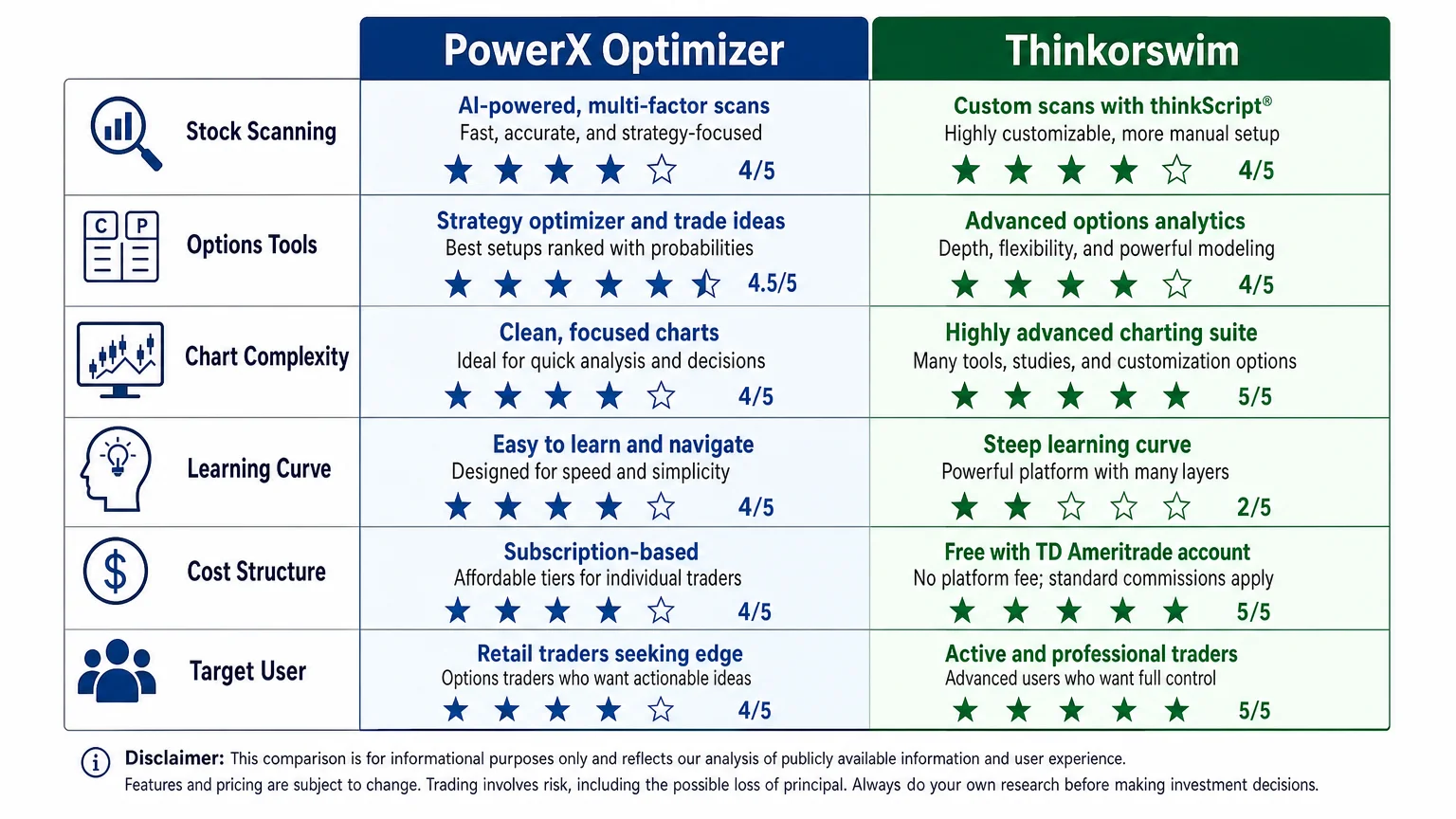
Thinkorswim includes a powerful Stock Hacker scanner that allows traders to build highly customized scans using any combination of technical and fundamental filters. The flexibility is substantial — but so is the learning curve. Building an effective scan in Thinkorswim requires understanding the platform’s filter syntax and having a clear idea of what criteria you’re looking for in the first place.
Practical difference: If you have a defined strategy with specific entry criteria, PowerX Optimizer delivers pre-filtered results faster. If you prefer to define your own scan logic from scratch, Thinkorswim gives you the tools — but the work is yours to do.
What Options Trading Tools Does Each Platform Offer?
Options traders will find meaningful differences between the two platforms. Thinkorswim is widely regarded as one of the most capable options trading environments available to retail traders. Its options chain display, probability analysis tools, risk/reward visualizations, and multi-leg strategy builder are genuinely sophisticated. Traders who construct complex spreads, analyze Greeks in depth, or manage large options portfolios will find Thinkorswim’s toolset hard to match at no additional cost.
PowerX Optimizer approaches options differently. Rather than offering a general-purpose options analysis environment, it focuses on identifying specific options setups that align with its strategy — typically straightforward structures rather than complex multi-leg positions. The platform is designed to make options accessible to traders who may not have deep options expertise, guiding them toward defined setups with clear parameters.
For traders new to options, this guided approach can reduce overwhelm. For experienced options traders who want to analyze volatility surfaces or build custom spread strategies, Thinkorswim’s depth is likely more appropriate. If you’re still evaluating whether options trading fits your risk profile, reviewing options trading software for beginners: what to look for provides useful framing before committing to either platform.
How Do the Charting and Technical Analysis Tools Stack Up?
| Feature | PowerX Optimizer | Thinkorswim |
|---|---|---|
| Built-in indicators | Curated set aligned to strategy | Hundreds, plus custom scripting |
| Chart customization | Moderate | Extensive |
| Multiple timeframes | Yes | Yes |
| Custom indicator scripting | No | Yes (thinkScript) |
| Paper trading mode | No native mode | Yes, full paper trading |
| Drawing tools | Basic | Comprehensive |
Thinkorswim’s charting is among the most capable available to retail traders without a professional subscription. Its thinkScript language allows traders to code custom indicators, alerts, and even automated scan conditions. For technically oriented traders, this is a significant advantage.
PowerX Optimizer’s charts are functional and aligned to its strategy’s indicators, but they are not designed to be a general-purpose charting environment. The platform assumes you are following a specific approach rather than conducting open-ended technical research.
What Does Each Platform Cost?
Cost is a practical consideration that often shapes the PowerX Optimizer vs. Thinkorswim decision for many traders. Thinkorswim is available at no additional charge to Schwab brokerage account holders — standard trading commissions apply, but the platform itself carries no subscription fee. This makes it accessible to virtually any active trader with a Schwab account.
PowerX Optimizer is a paid subscription product. For a verified breakdown of current pricing, how much does PowerX Optimizer cost: a verified breakdown covers what is publicly confirmed. The cost reflects access to the scanning methodology, the software interface, and the educational framework around it — not just a charting tool.
The cost comparison is only meaningful when weighed against the value each platform delivers for your specific workflow. A free platform that requires 10 hours of configuration may cost more in practical terms than a paid tool that reduces daily decision time significantly.
Which Platform Has a Lower Learning Curve?
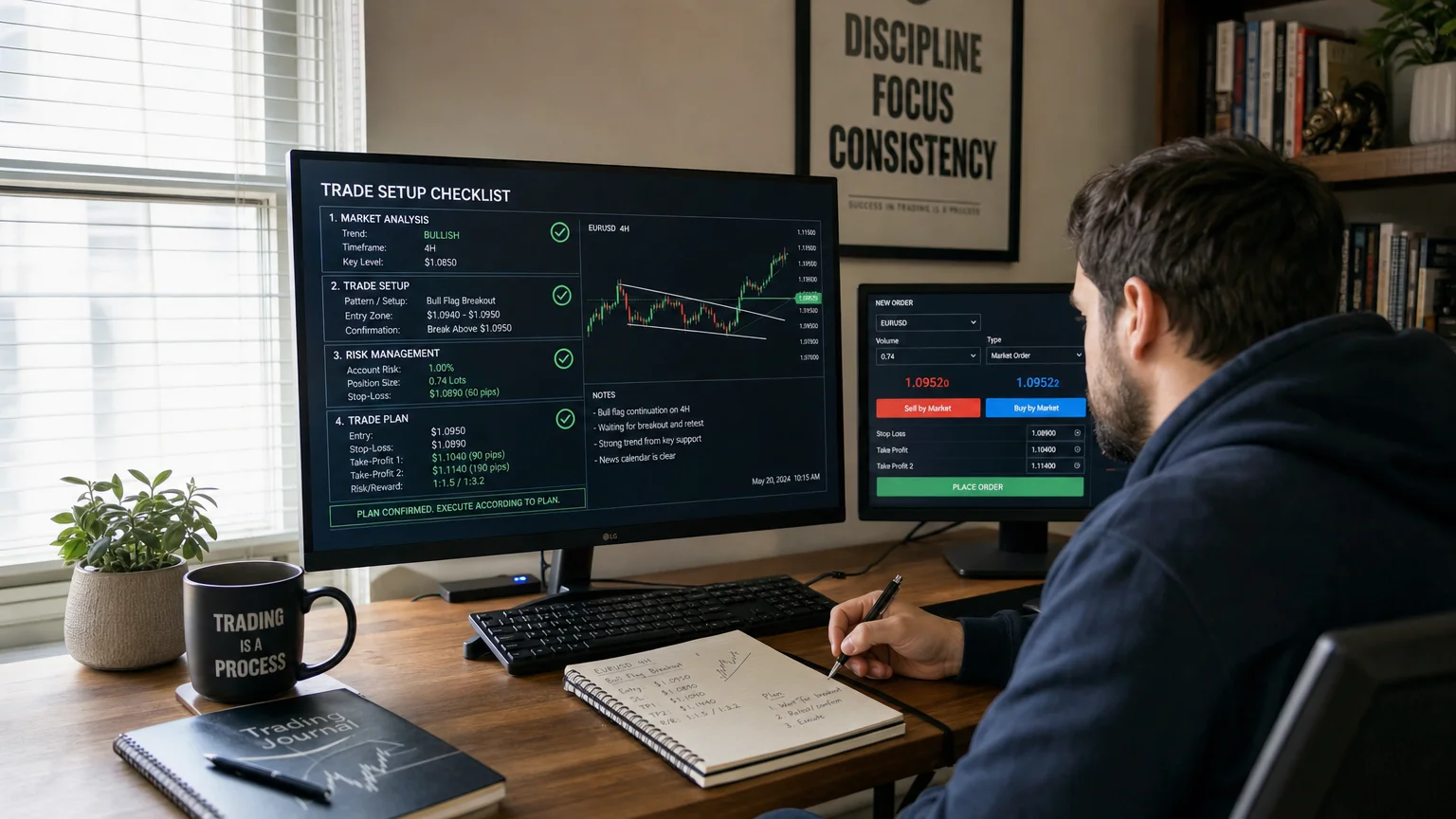
PowerX Optimizer is designed for a faster onboarding experience. The platform guides users through a structured workflow: run the scan, review the candidates, apply the strategy criteria, enter the trade. Traders who have reviewed the Rockwell Trading educational materials — or who are familiar with the PowerX strategy — can typically begin using the software within a short period. For a more detailed look at what the daily workflow actually involves, one month using PowerX Optimizer daily: honest observations offers practical perspective.
Thinkorswim has a steeper learning curve. The platform’s breadth is also its complexity — new users often find the interface dense, with numerous panels, menus, and configuration options. Schwab offers tutorials and paper trading to help new users acclimate, and a substantial community of traders has produced third-party guides and video walkthroughs. But reaching proficiency takes time.
For traders who want to be operational quickly with a defined strategy, PowerX Optimizer has a clear advantage in onboarding speed. For traders who plan to invest time in platform mastery and want maximum long-term flexibility, Thinkorswim’s learning curve is a reasonable trade-off.
How Does Each Platform Handle Trade Execution?
This is an area where the platforms differ structurally. Thinkorswim is a full brokerage platform — trades are executed directly through the platform, with real-time order routing, order types, and position management all integrated.
PowerX Optimizer is an analysis and scanning tool, not a brokerage. Trades identified through PowerX Optimizer are executed through a separate broker of the trader’s choice. This adds a step to the workflow but also means traders are not locked into a single brokerage relationship. The separation of analysis and execution is worth understanding before committing to either tool. For context on how trading software fits into a broader workflow, trading software in a volatile market: does workflow change? explores this question in practical terms.
Who Is Each Platform Best Suited For?
PowerX Optimizer may be a better fit if you:
- Want a defined, repeatable scanning process without building your own scan logic
- Are following or learning the Rockwell Trading methodology
- Have limited time and want to reduce daily analysis time
- Prefer structured guidance over open-ended platform exploration
- Are newer to trading and want guardrails built into the workflow
Thinkorswim may be a better fit if you:
- Want a free, full-featured platform with no additional subscription cost
- Trade complex options strategies requiring deep analytical tools
- Prefer to build and customize your own technical indicators
- Want integrated order execution and position management in one environment
- Are comfortable investing significant time in platform configuration
Neither platform is universally superior — the right choice depends on your strategy, experience, and how you work. For a complementary perspective on the platforms’ structural differences, PowerX Optimizer vs. Thinkorswim: a side-by-side look covers additional angles worth reviewing.
Conclusion
The PowerX Optimizer vs. Thinkorswim feature-by-feature breakdown ultimately points to a straightforward conclusion: these are tools designed for different kinds of traders with different priorities. Thinkorswim offers breadth, flexibility, and no additional cost — but demands time and technical knowledge to use well. PowerX Optimizer offers structure, speed, and a defined methodology — but requires a subscription and works best when paired with its underlying educational framework.
Neither platform changes the fundamental nature of trading risk. The right tool is the one that supports consistent, disciplined decision-making within a strategy you understand. For a deeper look at what PowerX Optimizer actually does day-to-day, PowerX Optimizer explained: what the software actually does is a practical next read.
Frequently Asked Questions
Is PowerX Optimizer better than Thinkorswim?
Neither platform is objectively better — they serve different purposes. PowerX Optimizer is built around a specific trading methodology and prioritizes structured scanning and simplicity. Thinkorswim is a general-purpose professional platform with greater flexibility and no additional cost. The better choice depends on your trading approach, experience level, and how much time you want to spend on platform configuration.
Can I use both PowerX Optimizer and Thinkorswim together?
Yes. Because PowerX Optimizer is an analysis tool rather than a brokerage platform, some traders use it for scanning and signal identification while executing trades through Thinkorswim. This combined workflow is a practical option for traders who want the scanning structure of PowerX Optimizer alongside Thinkorswim's execution environment.
Does Thinkorswim cost money?
Thinkorswim is available at no additional charge to Charles Schwab brokerage account holders. Standard trading commissions apply to executed trades, but the platform software itself does not carry a separate subscription fee.
Does PowerX Optimizer include charting tools?
PowerX Optimizer includes charts with the indicators relevant to its strategy. However, it is not designed as a general-purpose charting environment. Traders who want extensive charting customization, custom scripting, or a wide library of technical indicators will find Thinkorswim more capable in that area.
Is PowerX Optimizer suitable for beginners?
PowerX Optimizer is designed to reduce complexity for traders following the Rockwell Trading methodology, which can make it more approachable than building a trading system from scratch. However, trading itself involves substantial risk regardless of the tools used. Beginners should invest in education alongside any software tool and understand the risks involved before trading real capital.
Does either platform guarantee trading results?
No. Neither PowerX Optimizer nor Thinkorswim guarantees any trading outcome. Trading stocks and options involves substantial risk of loss. Software tools can support a disciplined workflow, but they do not eliminate market risk or ensure profitable results.
Where can I learn more about the risks of trading?
Understanding risk is essential before using any trading platform. [Stock and options trading risk: what new traders must know](/blog/stock-and-options-trading-risk-what-new-traders-must-know/) covers the core risk considerations relevant to retail traders in plain terms.
Richard independently publishes Economics Savvy and has owned and used PowerX Optimizer since 2020. He shares first-hand observations about its workflow, features, limitations, and trading risk.