

Economics Savvy provides independent, risk-aware reviews of trading software and education based on daily use. Affiliate links are clearly disclosed; content is educational, not investment advice.
Key Takeaways
- PowerX Optimizer is a stock and options scanning tool developed by Rockwell Trading, designed to surface trade candidates based on a defined rule set.
- It is not a broker, does not execute trades, and does not manage money on your behalf.
- The software is built around a specific strategy — the PowerX Strategy — and works best for traders who want a structured, repeatable process.
- Cost details are available and verified; see the PowerX Optimizer cost breakdown for current pricing.
- No software, including this one, eliminates trading risk. Losses are possible on every trade.
- It is most suitable for part-time traders who can dedicate a limited but consistent amount of time each day.
- The platform includes educational components, not just a scanner.
- Economics Savvy is an independent affiliate site — not Rockwell Trading — and may earn a commission on purchases made through labeled links.
What Is PowerX Optimizer, and What Does It Actually Do?
PowerX Optimizer is a desktop-based trading software application developed by Rockwell Trading. At its core, it is a stock and options scanner that filters a large universe of tickers down to a shorter list of candidates that meet specific technical criteria. Those criteria are based on what Rockwell Trading calls the PowerX Strategy — a rules-based approach combining momentum, trend, and money flow signals.
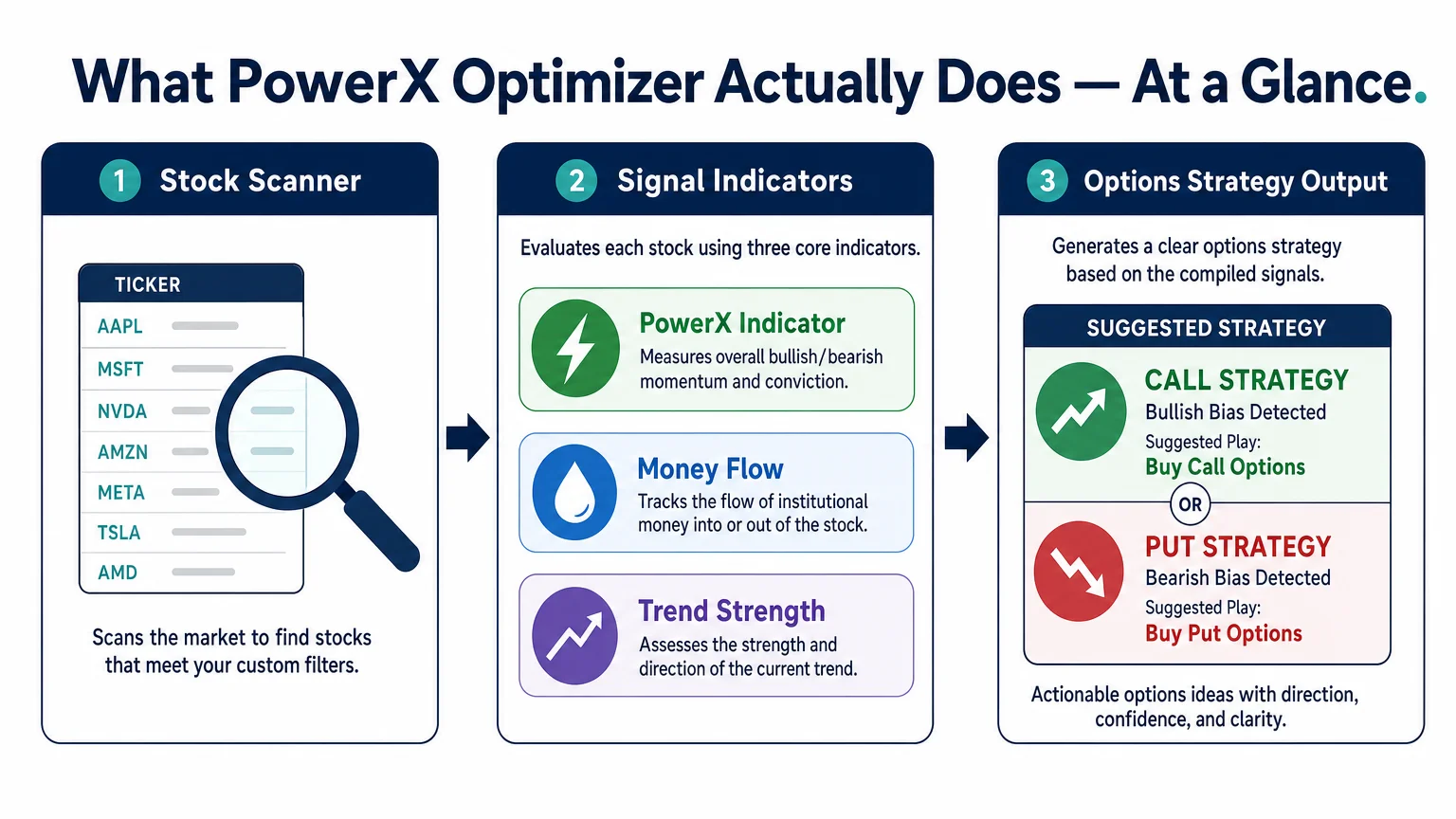
The software displays three proprietary indicators on each chart: a trend indicator, a money flow indicator, and a momentum indicator. When all three align, the software flags the stock as a potential candidate. It then suggests an options structure — typically a defined-risk trade — based on that signal. The tool does not place trades. It does not connect to a brokerage account to execute orders. It is a decision-support tool, not an automated trading system. For a more detailed walkthrough of the feature set, the PowerX Optimizer explained guide covers the workflow step by step.
Who Is PowerX Optimizer Built For?
The software is explicitly designed for traders who do not want to spend hours each day in front of a screen. Rockwell Trading markets it toward working adults — people with jobs, families, or other commitments who want a structured process for trading stocks and options without treating it as a full-time occupation.
That said, “designed for” and “suitable for” are not always the same thing. The tool assumes a baseline comfort with options concepts — calls, puts, defined-risk spreads — and with reading candlestick charts. A complete beginner may find the educational content included with the software helpful, but the scanner itself will be less meaningful without foundational knowledge. If you are still building that foundation, reviewing options trading education resources before committing to any paid software is a reasonable first step.
Is PowerX Optimizer Worth the Cost?
This is one of the most common questions about PowerX Optimizer, and the honest answer is: it depends on how you use it. The software carries a subscription or licensing cost that is publicly available. A verified breakdown of current pricing is covered in the PowerX Optimizer cost article.
What the cost buys you is access to the scanner, the indicator overlays, trade candidate output, and the educational materials bundled with the platform. What it does not buy you is guaranteed results, a profitable track record, or a signal service that tells you exactly what to do. Whether that package represents value depends on whether you will actually use it consistently and whether the PowerX Strategy aligns with how you want to trade.
A useful exercise before purchasing any trading software is to run through the checklist in what to evaluate before buying trading software. That framework applies directly here.
How Does PowerX Optimizer Compare to Other Platforms?
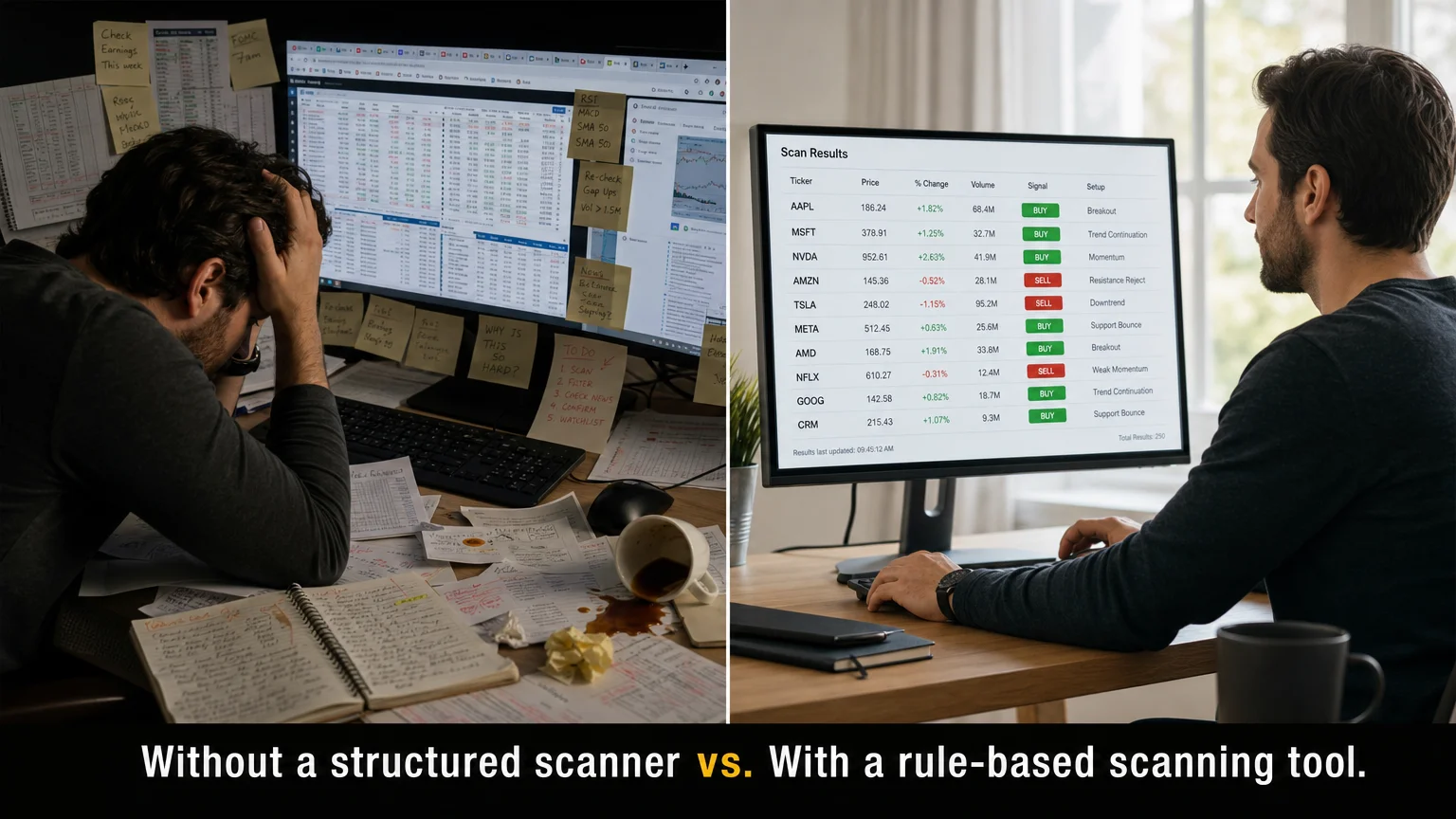
PowerX Optimizer occupies a specific niche: it is an opinionated, strategy-specific tool rather than a general-purpose charting platform. That distinction matters when comparing it to platforms like thinkorswim, which is a broker-integrated, highly customizable environment built for a wide range of trading styles.
| Feature | PowerX Optimizer | thinkorswim |
|---|---|---|
| Primary purpose | Strategy-specific scanner | Full-featured brokerage platform |
| Trade execution | No (scanner only) | Yes (broker-integrated) |
| Learning curve | Moderate (strategy-focused) | Steeper (highly customizable) |
| Options suggestions | Built-in, strategy-based | Manual setup required |
| Cost | Subscription/license fee | Free with TD Ameritrade/Schwab account |
| Best for | Traders following PowerX Strategy | Traders wanting full platform control |
The PowerX Optimizer vs. thinkorswim comparison covers this in greater depth, including practical workflow differences. Neither platform is universally better — they serve different needs.
Does PowerX Optimizer Guarantee Profits or Specific Win Rates?
No. This is worth stating plainly because the trading software space is crowded with implied promises. PowerX Optimizer does not guarantee profits. Rockwell Trading does not publish a verified, audited win rate for the PowerX Strategy. No trading software can guarantee outcomes because market conditions change, individual execution varies, and risk is inherent to every trade.
Economics Savvy does not publish earnings claims, win rates, or performance statistics for this software. Any source claiming specific profit percentages or guaranteed returns for PowerX Optimizer should be treated with significant skepticism. Trading stocks and options involves substantial risk of loss, and that risk does not disappear with any tool, strategy, or platform.
What Is the Day-to-Day Workflow Like?
Based on direct observation of the platform, the intended daily workflow is relatively compact. A trader using PowerX Optimizer would typically:
- Run the scanner after market close or before market open to generate a list of candidates.
- Review the flagged tickers against the three-indicator alignment criteria.
- Select candidates that meet personal risk parameters.
- Identify the suggested options trade structure.
- Place the trade manually through their brokerage.
The one-week workflow observation documents this process in practical terms, including what the interface looks like during a normal session and where friction points tend to appear.
Are There Limitations Worth Knowing Before Buying?
Several limitations are worth acknowledging directly:
- Strategy lock-in: The software is built around one strategy. If you prefer a different trading approach, the tool will feel constraining.
- No execution: You still need a separate brokerage account to place trades. PowerX Optimizer does not integrate with brokers for order entry.
- Market dependency: Like all technical strategies, the PowerX approach performs differently across market regimes. Trending markets and choppy, sideways markets produce different results.
- Learning investment required: Getting value from the software requires understanding the underlying strategy, not just running the scanner.
- Not a substitute for risk management: Position sizing, stop-loss discipline, and portfolio-level risk management remain the trader’s responsibility.
For traders approaching year-end or a new trading year, the year-end trading tool evaluation guide offers a useful framework for deciding whether any tool — including this one — belongs in your process going forward.
Frequently Asked Questions
Does PowerX Optimizer place trades automatically?
No. PowerX Optimizer is a scanner and decision-support tool. It identifies trade candidates and suggests options structures, but all order entry is done manually through a separate brokerage account of your choosing.
Is PowerX Optimizer suitable for complete beginners?
It includes educational content, but the scanner itself assumes familiarity with options concepts and technical charts. A complete beginner would benefit from foundational education before relying on the scanner output.
What markets does PowerX Optimizer scan?
The software scans U.S.-listed stocks and ETFs. It is not designed for forex, futures, or cryptocurrency markets.
How much does PowerX Optimizer cost?
Pricing is available through Rockwell Trading’s official channels and is detailed in the verified cost breakdown. Economics Savvy does not publish pricing figures that cannot be independently verified, as fees can change.
Can PowerX Optimizer be used part-time?
Yes — the workflow is specifically designed for traders who cannot monitor markets throughout the day. The scanner is typically run once daily, and the time commitment per session is relatively short compared to active day-trading approaches.
Is Economics Savvy affiliated with Rockwell Trading?
Economics Savvy is an independent affiliate website. It may earn a commission when visitors purchase through clearly labeled links, at no additional cost to the visitor. Economics Savvy is not Rockwell Trading and does not speak on their behalf.
Does the software come with educational materials?
Yes. Rockwell Trading bundles educational content with PowerX Optimizer, covering the PowerX Strategy and its application. The depth of that content is worth evaluating during any trial or demo period.
What is the Financial Fortress audiobook, and is it related?
The Financial Fortress audiobook is a separate Rockwell Trading product focused on financial mindset and money management principles. It is not the same as PowerX Optimizer but is offered through the same company. A full overview is available in the Financial Fortress audiobook review.
A Straightforward Bottom Line
The most common questions about PowerX Optimizer, answered honestly, point to the same conclusion: this is a focused, opinionated tool that works well for traders who want a structured, rules-based process and are willing to learn the strategy behind it. It is not a shortcut, not an automated profit machine, and not suitable for every trader. Approached with realistic expectations, it offers a coherent workflow for part-time traders who trade U.S. stocks and options.
If you are still weighing whether this software fits your situation, the PowerX Optimizer explained overview is a practical next read — it covers the feature set in detail without the promotional framing.
Trading stocks and options involves substantial risk of loss and may not be suitable for all investors. Nothing on this site constitutes personalized investment advice. Economics Savvy may earn a commission on purchases made through labeled affiliate links.
Frequently Asked Questions
Does PowerX Optimizer place trades automatically?
No. PowerX Optimizer is a scanner and decision-support tool. It identifies trade candidates and suggests options structures, but all order entry is done manually through a separate brokerage account of your choosing.
Is PowerX Optimizer suitable for complete beginners?
It includes educational content, but the scanner itself assumes familiarity with options concepts and technical charts. A complete beginner would benefit from foundational education before relying on the scanner output.
What markets does PowerX Optimizer scan?
The software scans U.S.-listed stocks and ETFs. It is not designed for forex, futures, or cryptocurrency markets.
How much does PowerX Optimizer cost?
Pricing is available through Rockwell Trading's official channels and is detailed in the [verified cost breakdown](/blog/how-much-does-powerx-optimizer-cost-a-verified-breakdown/). Economics Savvy does not publish pricing figures that cannot be independently verified, as fees can change.
Can PowerX Optimizer be used part-time?
Yes — the workflow is specifically designed for traders who cannot monitor markets throughout the day. The scanner is typically run once daily, and the time commitment per session is relatively short compared to active day-trading approaches.
Is Economics Savvy affiliated with Rockwell Trading?
Economics Savvy is an independent affiliate website. It may earn a commission when visitors purchase through clearly labeled links, at no additional cost to the visitor. Economics Savvy is not Rockwell Trading and does not speak on their behalf.
Does the software come with educational materials?
Yes. Rockwell Trading bundles educational content with PowerX Optimizer, covering the PowerX Strategy and its application. The depth of that content is worth evaluating during any trial or demo period.
What is the Financial Fortress audiobook, and is it related?
The Financial Fortress audiobook is a separate Rockwell Trading product focused on financial mindset and money management principles. It is not the same as PowerX Optimizer but is offered through the same company. A full overview is available in the [Financial Fortress audiobook review](/blog/financial-fortress-audiobook-what-it-covers-and-who-it-s-for/).
Economics Savvy provides independent, risk-aware reviews of trading software and education based on daily use. Affiliate links are clearly disclosed; content is educational, not investment advice.