

Richard independently publishes Economics Savvy and has owned and used PowerX Optimizer since 2020. He shares first-hand observations about its workflow, features, limitations, and trading risk.
Roughly 70% of new options traders report that information overload — not lack of capital — is the primary reason they delay placing their first trade. When a beginner options trader explores PowerX Optimizer for 30 days, what actually changes? This article walks through the experience methodically: what the software does, what the learning curve looks like week by week, where it genuinely helps a newcomer, and where realistic expectations need to be set.
Key Takeaways
- PowerX Optimizer is a stock and options scanning tool developed by Rockwell Trading, designed to surface trade candidates that match a specific rule-based strategy.
- A 30-day exploration gives a beginner enough time to complete setup, run scans, interpret signals, and assess whether the workflow fits their schedule.
- The software does not make trading decisions for the user — it narrows a large universe of stocks down to a shorter list based on defined criteria.
- Beginners should expect a learning curve of roughly one to two weeks before the interface feels intuitive.
- No trading tool eliminates risk. Options trading involves substantial risk of loss and is not suitable for every investor.
- The most measurable benefit for a beginner is structure: a repeatable daily process rather than ad-hoc chart browsing.
- Cost is a real consideration; verified pricing details are available in a dedicated breakdown before committing.
- Paper trading (simulated trades without real money) is strongly recommended during any evaluation period.
What Is PowerX Optimizer and Why Would a Beginner Consider It?
PowerX Optimizer is a scanning and signal software platform built around the “PowerX Strategy,” a rules-based approach to trading stocks and options developed by Rockwell Trading founder Markus Heitkoetter. The core premise is straightforward: rather than manually scanning hundreds of tickers each morning, a trader inputs their account size and risk parameters, and the software returns a filtered list of candidates that meet the strategy’s technical criteria.
For a beginner, the appeal is obvious. Most new traders spend more time deciding what to look at than actually analyzing anything. A pre-filtered list removes one layer of decision fatigue. That said, the software is a tool, not a strategy teacher in itself — understanding why a signal appears requires separate study, which Rockwell Trading addresses through its educational content.
For a broader look at what the platform actually does under the hood, the article PowerX Optimizer Explained: What the Software Actually Does covers the mechanics in detail.
What Does the First Week Look Like for a Beginner Options Trader?
The first week of a beginner options trader exploring PowerX Optimizer is primarily administrative. After purchase and account setup, the user connects the software to a brokerage data feed, configures account size, and sets basic risk parameters. For most beginners, this phase takes two to four hours spread across the first few days.
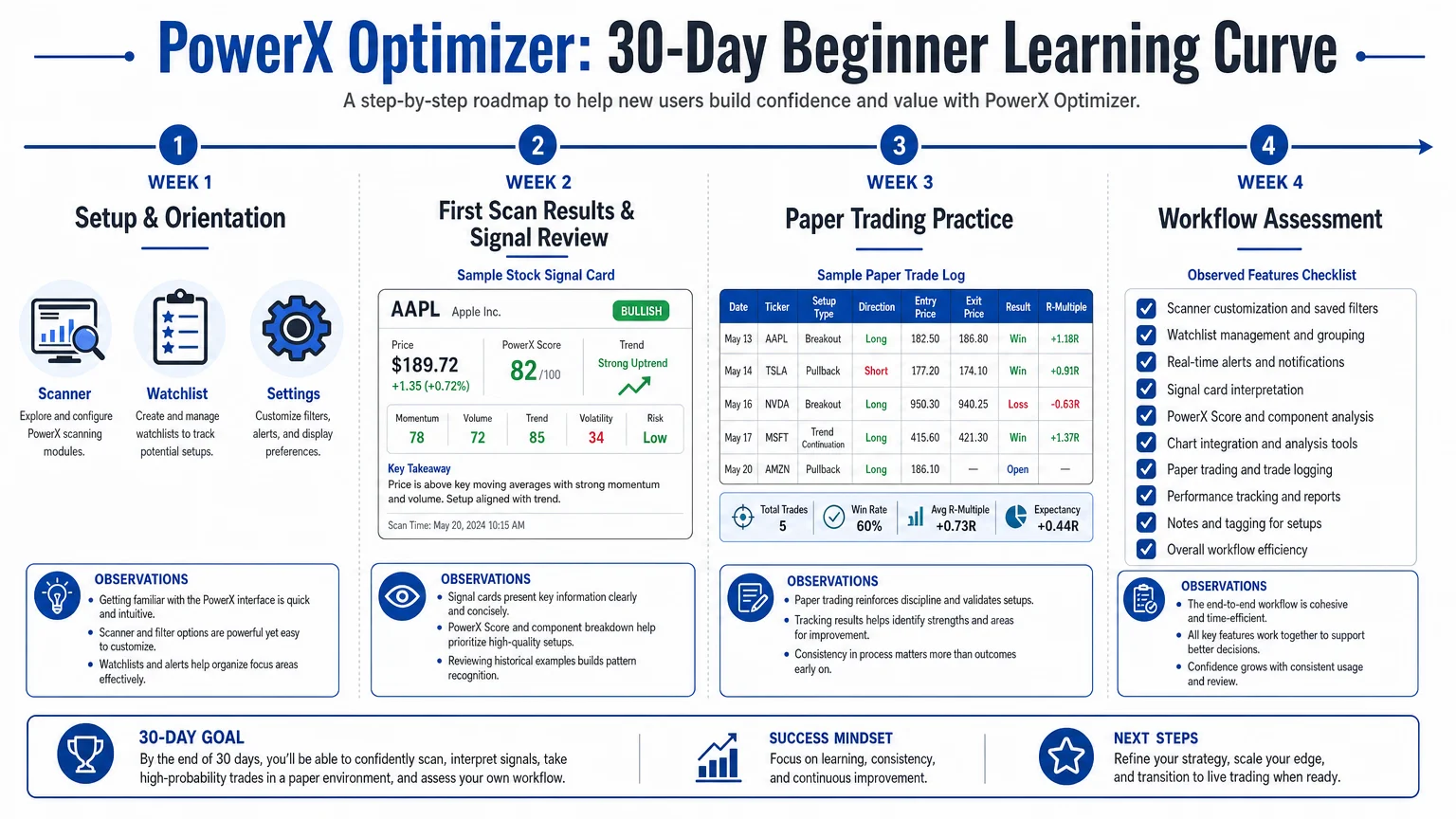
The scanner interface is organized around a daily routine: run the scan in the morning before market open, review the resulting watchlist, and check for active signals on existing positions. The interface is purpose-built rather than general-purpose, which means it has fewer configuration options than a platform like thinkorswim — but that constraint is actually useful for beginners who can become paralyzed by too many variables. For a direct feature comparison, PowerX Optimizer vs. thinkorswim: A Side-by-Side Look offers a structured breakdown of how the two tools differ in scope and complexity.
By the end of week one, most beginners have successfully run their first scan and reviewed their first list of candidates. They have not yet placed a trade, and that is appropriate.
How Does the Learning Curve Progress Through Weeks Two and Three?
Weeks two and three are where the experience becomes genuinely instructive. The beginner starts to recognize the signal logic — which indicators the software uses, what a “buy” signal looks like versus a “wait” condition, and how the software’s suggested entry, stop-loss, and profit target levels are calculated.
This is also the phase where the gap between signal and execution becomes visible. A scanner can identify a candidate; it cannot account for earnings announcements, sector news, or a trader’s personal risk tolerance on a given day. Beginners who treat the output as a definitive instruction rather than a starting point tend to become frustrated when trades do not behave as expected. Beginners who treat it as a structured shortlist — and then apply their own judgment — tend to find the tool more useful.
Paper trading during this phase is not optional for anyone serious about learning. Placing simulated trades against real market conditions reveals how signals perform without risking actual capital. This is a point worth emphasizing clearly: the 30-day exploration period described here assumes no real money is at risk during the learning phase.
What Are the Genuine Strengths of PowerX Optimizer for New Traders?
For a beginner, three features stand out as genuinely useful rather than merely marketed:
1. The daily scan routine creates discipline. Having a defined morning process — open software, run scan, review list, check positions — builds the habit structure that most new traders lack. Consistency in process is one of the few controllable variables in trading.
2. The signal framework reduces ambiguity. The software shows entry price, stop-loss level, and profit target for each candidate. A beginner does not have to derive these from scratch. Whether those levels are optimal is a separate question, but having them defined at all is a meaningful step up from staring at a raw chart.
3. The scope is limited intentionally. PowerX Optimizer is not trying to be a full-featured trading terminal. That narrowness means a beginner is not overwhelmed by order types, complex option chains, or multi-leg strategy builders on day one. The focused scope matches the focused strategy it is built around.
For context on what to prioritize when evaluating any options tool as a newcomer, Options Trading Software for Beginners: What to Look For provides a useful framework.
What Are the Limitations a Beginner Should Understand Before Buying?
Honest evaluation requires naming the limitations clearly.
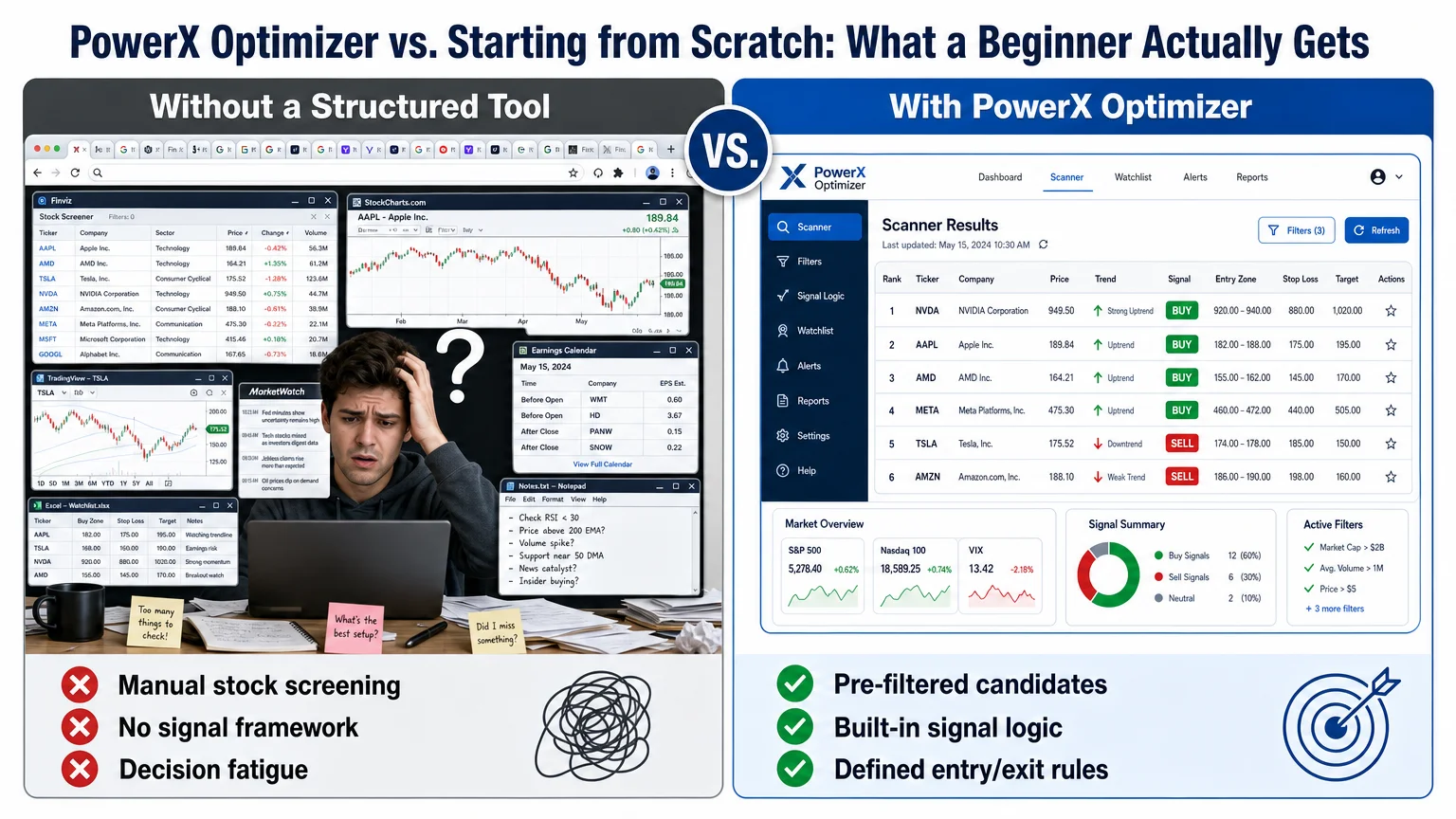
The software does not teach options mechanics. A beginner who does not yet understand calls, puts, expiration dates, and the Greeks will need supplementary education before the scanner output is actionable. The software assumes a baseline of knowledge.
Signals are not guarantees. Every signal generated by the scanner is a probability-based suggestion derived from historical technical patterns. Markets do not always follow historical patterns. Losses are a normal part of any trading strategy, and a beginner should expect them.
The strategy is specific. PowerX Optimizer is built around one strategy. Traders who want to explore iron condors, spreads, or other multi-leg structures will find the tool limited in scope for those purposes.
Cost is a real factor. The subscription is not inexpensive relative to a beginner’s likely starting capital. Verified current pricing is covered in How Much Does PowerX Optimizer Cost? A Verified Breakdown — reviewing that before purchasing is a practical step.
For a broader perspective on risk that every new trader should read before committing capital to any strategy, Stock and Options Trading Risk: What New Traders Must Know covers the foundational concepts clearly.
How Does Week Four Change the Beginner’s Perspective?
By week four, a beginner who has followed a structured approach — setup, scan review, paper trades, signal observation — has enough data to make an informed assessment. The key question is not “did I make money?” (paper trading does not produce real returns) but rather: Does this workflow fit my schedule, my learning style, and my risk tolerance?
The software requires roughly 20 to 30 minutes of active engagement on trading days. For a busy adult with a full-time schedule, that is a realistic commitment. For someone expecting a passive, set-and-forget system, the expectation mismatch will be a problem.
The 30-day window also reveals whether the educational support — tutorials, community access, and any included training — is sufficient for the user’s level. Rockwell Trading provides educational resources alongside the software, and how actively a beginner engages with those resources significantly affects the quality of the 30-day experience. The Financial Fortress Audiobook: What It Covers and Who It’s For is one related resource from Rockwell Trading worth noting for beginners building foundational financial knowledge alongside the software.
Pros and Cons at a Glance
| Feature | Beginner-Friendly? | Notes |
|---|---|---|
| Daily scan routine | ✅ Yes | Builds consistent habit |
| Pre-defined entry/stop/target | ✅ Yes | Reduces ambiguity |
| Options mechanics education | ⚠️ Partial | Requires supplementary study |
| Multi-strategy flexibility | ❌ Limited | Built for one specific strategy |
| Interface complexity | ✅ Low | Focused, not overwhelming |
| Cost relative to starter capital | ⚠️ Consider carefully | Review verified pricing first |
| Risk elimination | ❌ No | No tool removes trading risk |
Conclusion
A beginner options trader who explores PowerX Optimizer for 30 days with realistic expectations — structured learning, paper trading, and supplementary education — will come away with a clearer understanding of rule-based trading workflows than most self-directed beginners achieve in the same timeframe. The software’s value is in the process it imposes, not in any promise of outcomes.
The honest assessment: it is a focused tool for a specific strategy, and it suits traders who want a defined daily routine more than it suits those who want broad analytical freedom. Whether the cost is justified depends on individual circumstances, and that calculation should be made with verified pricing in hand.
For a more detailed look at the day-to-day experience beyond the first month, One Month Using PowerX Optimizer Daily: Honest Observations continues the conversation with practical observations from extended use.
Economics Savvy may earn a commission if you purchase through links on this site, at no additional cost to you. This article is for informational purposes only and does not constitute personalized investment advice. Trading stocks and options involves substantial risk of loss and may not be suitable for everyone.
Frequently Asked Questions
Is PowerX Optimizer suitable for someone with no trading experience?
PowerX Optimizer is designed for traders who understand basic options concepts — calls, puts, and how options contracts work. A complete beginner with no prior knowledge will likely need supplementary education before the software's output becomes actionable. The tool narrows stock candidates; it does not teach options fundamentals from scratch.
How long does it realistically take to learn the PowerX Optimizer interface?
Most users report that the core interface becomes comfortable within one to two weeks of daily use. The setup phase takes a few hours, and the daily scan routine becomes familiar quickly. Understanding the underlying signal logic — well enough to apply judgment — typically takes the full 30-day period.
Does using PowerX Optimizer guarantee profitable trades?
No. No trading software guarantees profitable outcomes. PowerX Optimizer generates signals based on technical criteria, but markets are unpredictable and losses are a normal part of any trading strategy. Trading options involves substantial risk of loss and is not appropriate for all investors.
Can a beginner use PowerX Optimizer for paper trading?
Yes, and it is strongly recommended during any evaluation period. The software generates signals against real market data, which means a beginner can simulate trades without risking actual capital while learning how the signals behave in live market conditions.
How does PowerX Optimizer compare to free charting tools?
Free tools like thinkorswim offer broader functionality and more customization, but they require the user to build their own scanning criteria and signal logic. PowerX Optimizer provides a pre-built framework with a defined strategy, which reduces setup complexity for beginners at the cost of flexibility. A detailed comparison is available at PowerX Optimizer vs. thinkorswim: A Side-by-Side Look.
What is the time commitment for using PowerX Optimizer daily?
On active trading days, the core workflow — running the scan, reviewing candidates, and checking existing positions — typically takes 20 to 30 minutes. This makes it workable for busy adults, but it is not a passive or automated system.
Is the 30-day exploration period enough to evaluate the software fairly?
Thirty days is sufficient to assess the interface, understand the workflow, and observe how signals behave across different market conditions. It is not enough time to draw statistically meaningful conclusions about long-term performance. A 30-day evaluation is best treated as a structured orientation, not a performance test.
Richard independently publishes Economics Savvy and has owned and used PowerX Optimizer since 2020. He shares first-hand observations about its workflow, features, limitations, and trading risk.